 lume
lume
Your agents.Your way.
A local monitor for AI agents.
A full Workspace. A discreet Orb.
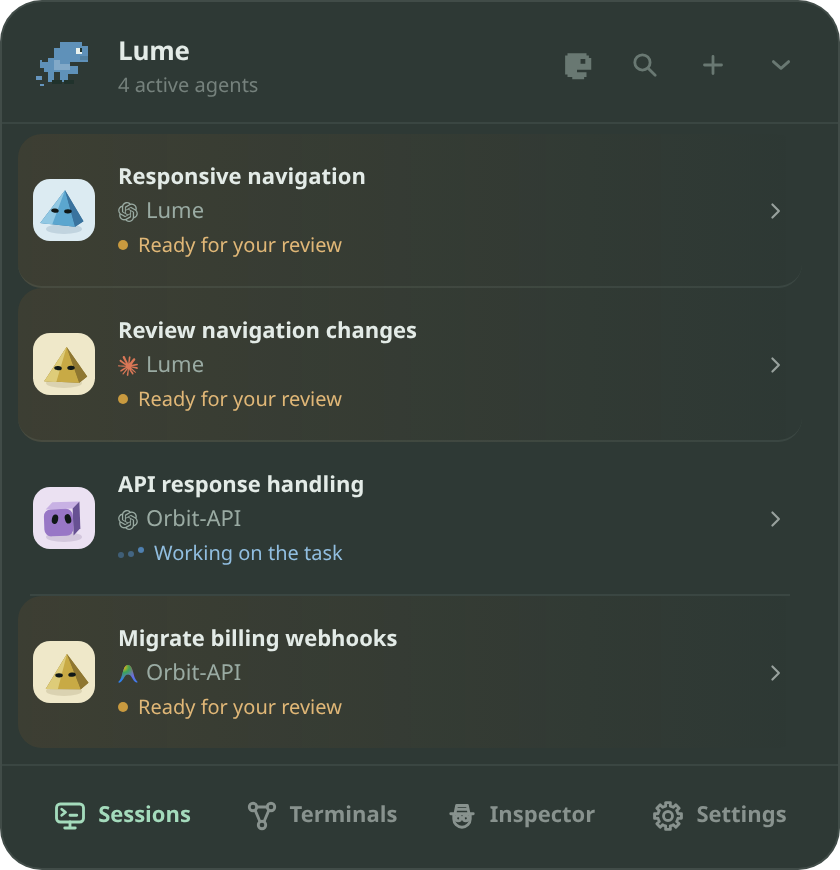
Orb. Status and floating terminals.
Follow agent status in the corner of your screen.
Open the Orb to check your sessions. Each conversation has its own floating terminal, which you can move or dock alongside another.
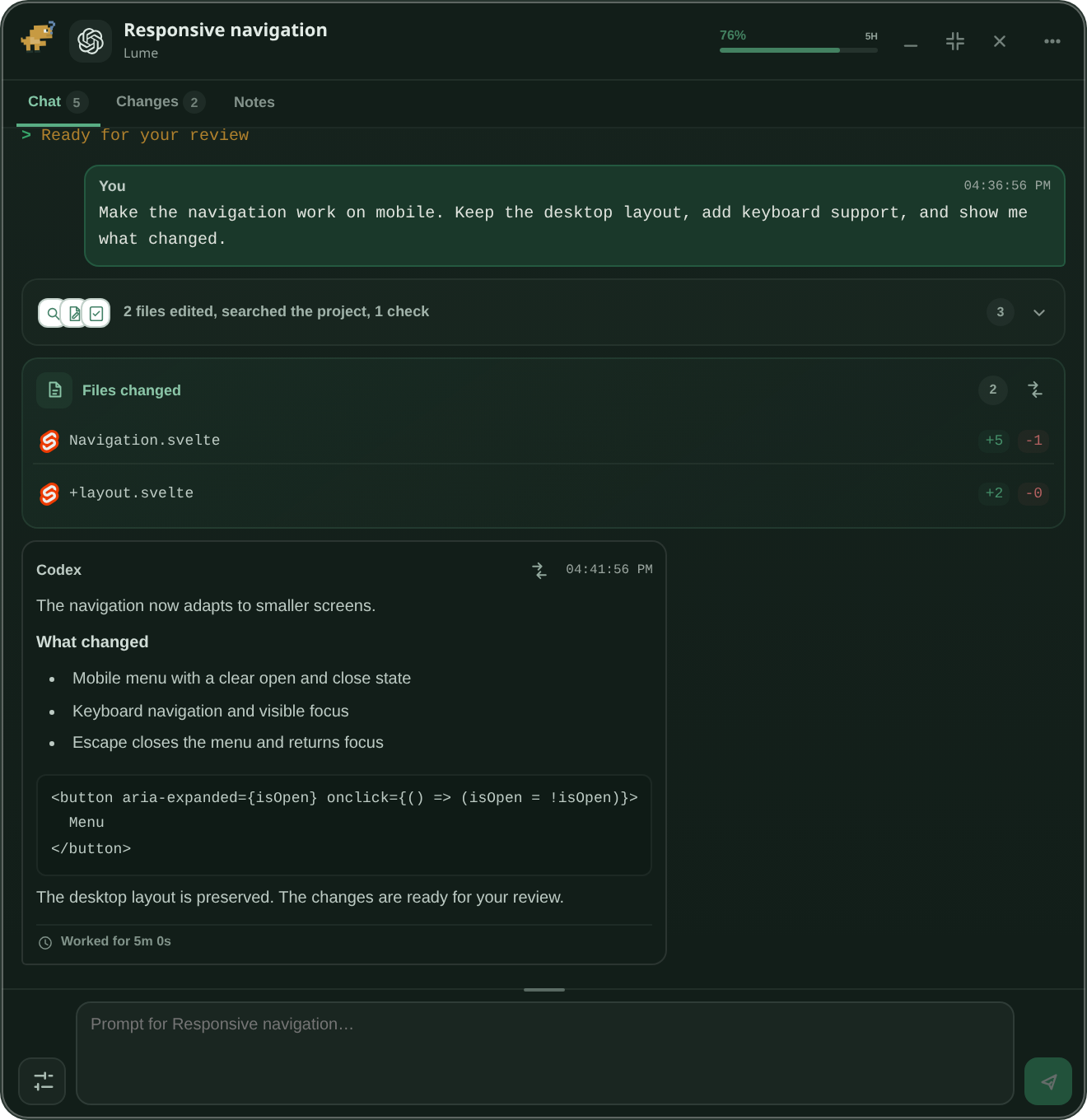
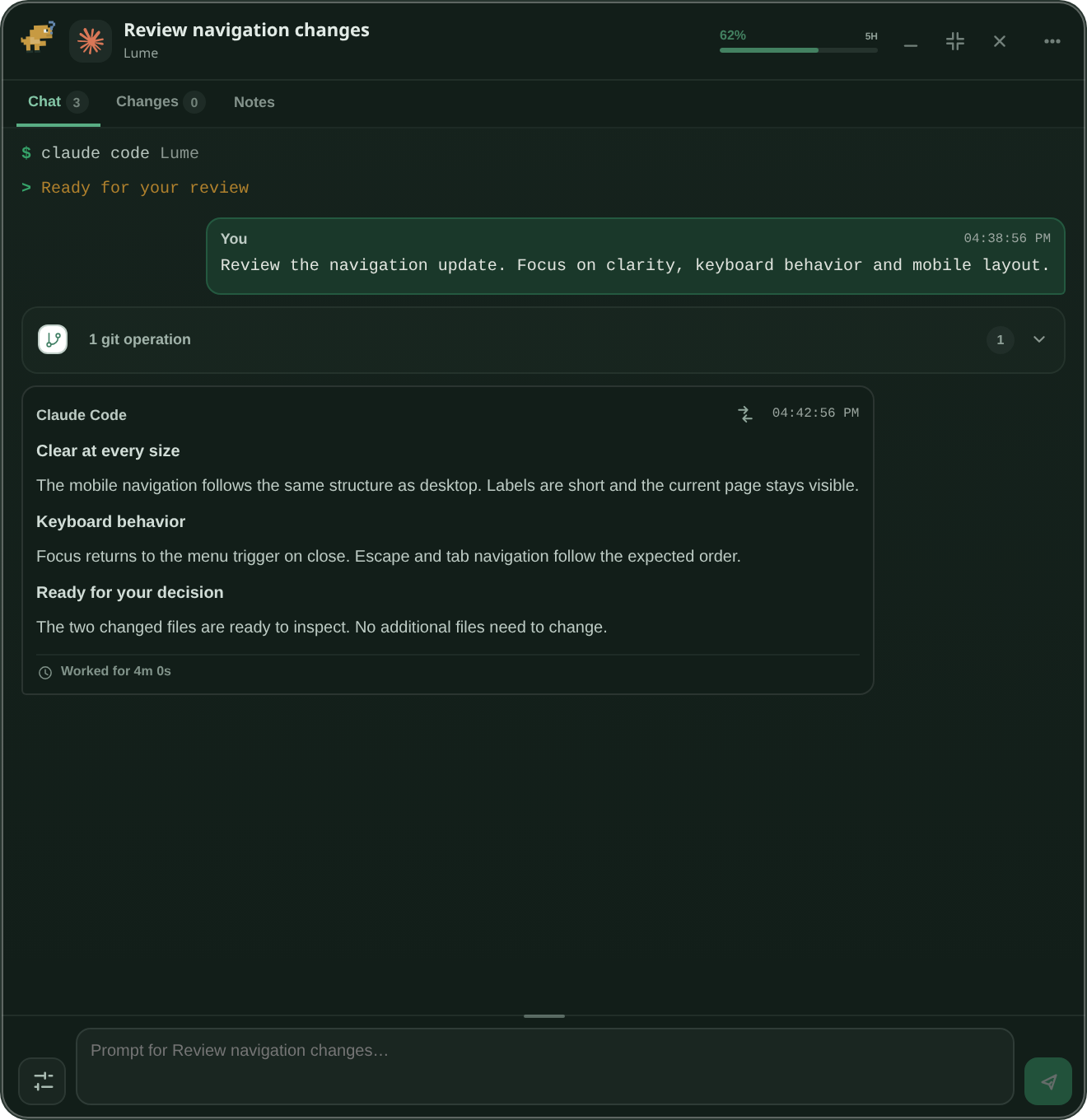

Workspace. Conversations side by side.
Chat with your agents and review their work in one window.
Keep up to three conversations side by side. Follow progress, inspect context, review changes, and adjust model and reasoning effort with the available controls.
Everything Lume does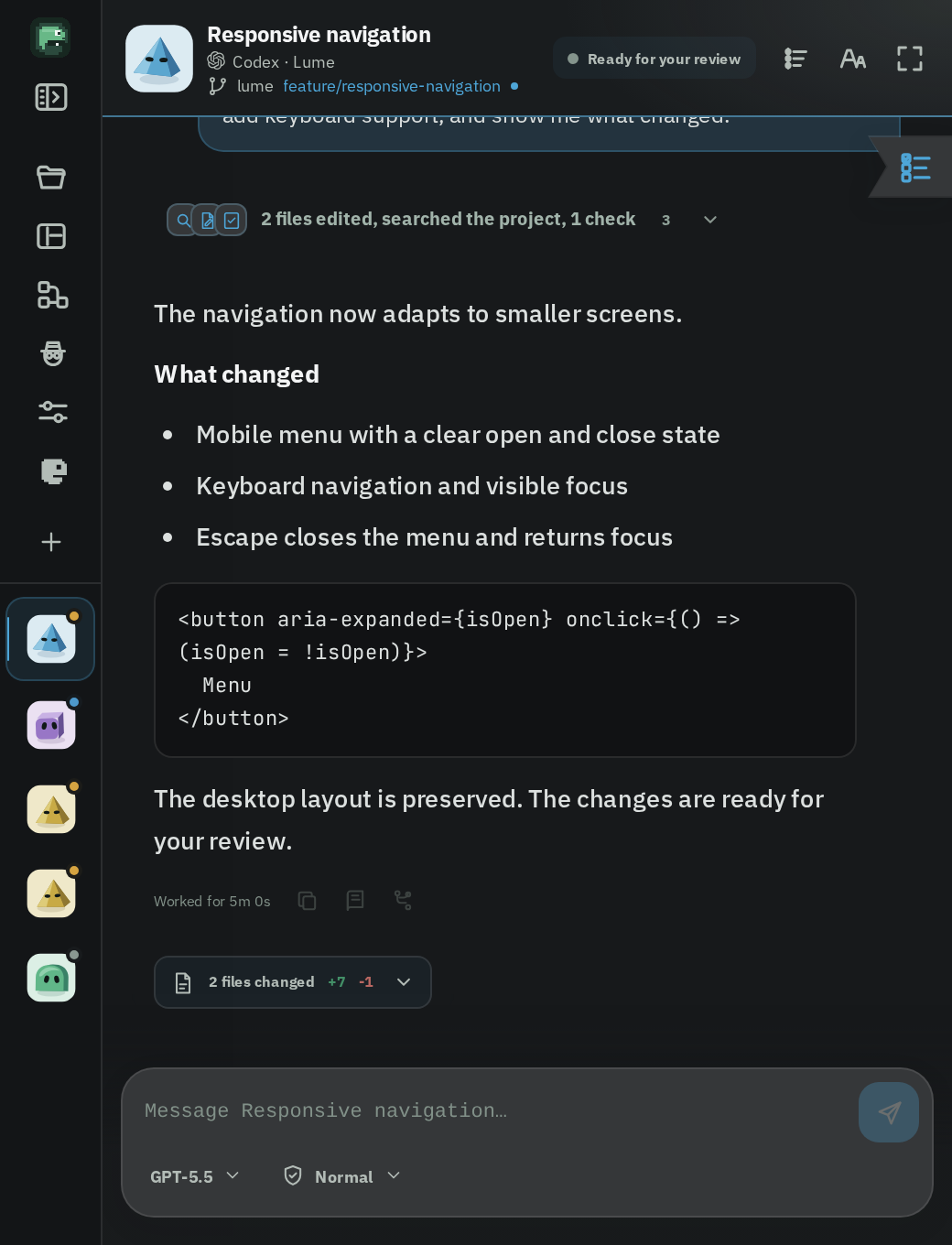
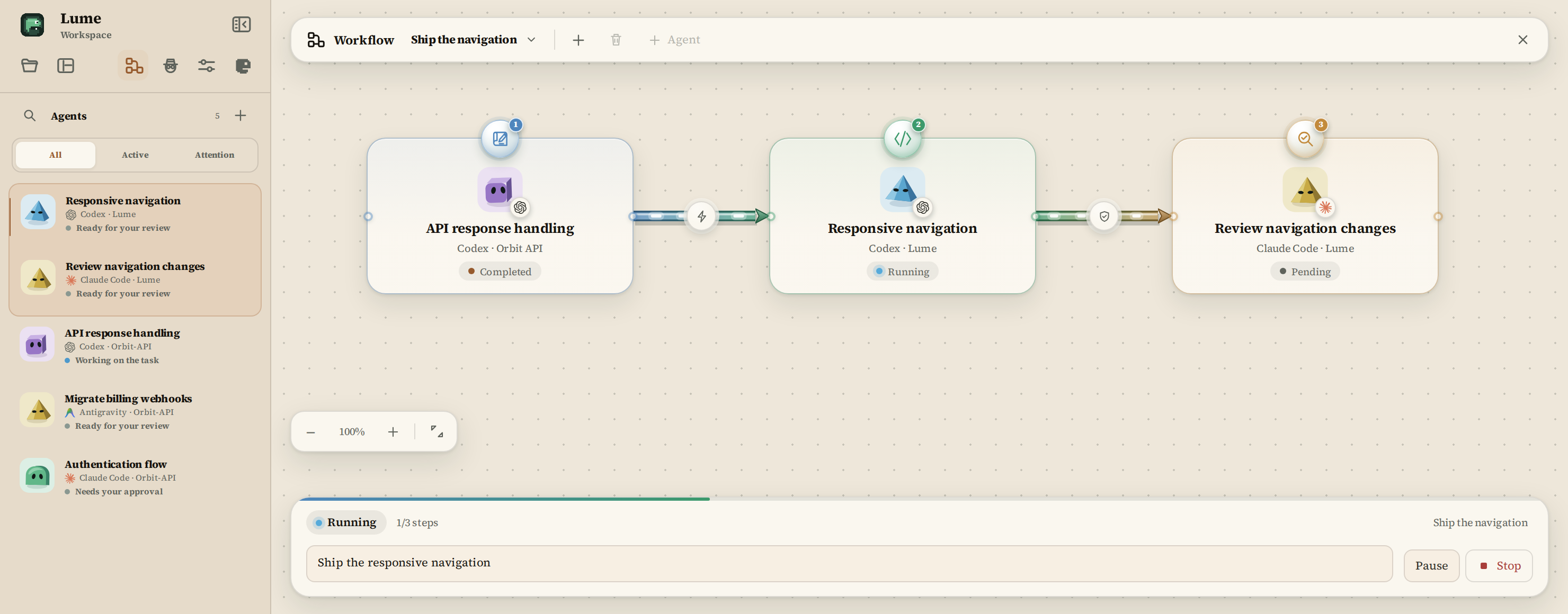
Workflow. Connect the steps.
Give each agent a role and choose the context it passes to the next step.
Workflow is opt-in. Until you switch it on, nothing is shared between conversations.
- Planner
- Implementer
- Reviewer
- Tester
- Researcher
- Custom
- 01Roles with a contract
- Each step knows its instruction, its expected input, what it must produce, and when it is done.
- 02Choose the context to share
- Choose what moves forward: the response, changed files, checks, plan, activity or diffs. Private reasoning is not shared.
- 03Handoffs you control
- Approve each handoff, or let steps continue on their own. Loops, retries and long steps are limited by guardrails.
- 04Resume after restarting Lume
- Runs are stored on your machine and recover after Lume restarts, with every step, approval and result kept together.
The agents you already use.
Follow your existing sessions or start new ones from Lume.
Available controls depend on the agent and its integration.
- CodexFull control
- Claude CodeFull control
- Antigravity CLIFull control
- OpenCodeFull control
- DeepSeek HarnessMonitor
- Gemini CLIMonitor
- Web chatsChatGPT, Claude, DeepSeek, GeminiBrowser Companion
- VS CodeIntegration
- CursorIn development
Capabilities follow each integration’s published behavior.
Explore compatibilityLume in your pocket.
Pair your phone with a QR code to follow your agents. Open a conversation, read the answer, approve a request or send the next prompt.
Follow workflow progress on mobile. Workflow controls stay on the desktop.
- One QR codePair in seconds with the Android app or the browser.
- Your local networkEncrypted, and nothing goes through a Lume server.
- Permissions per deviceDecide what each phone can read and do.
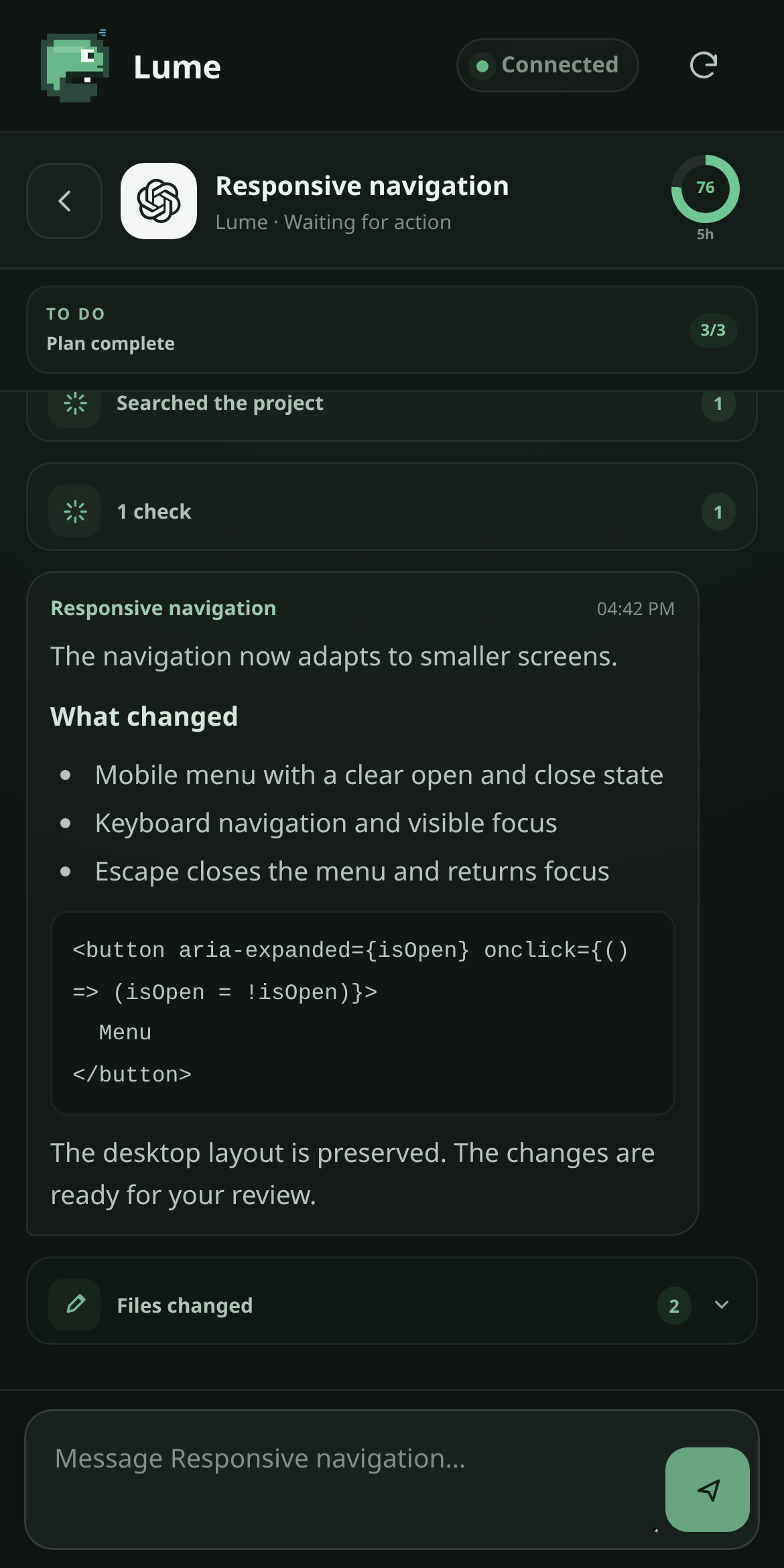
- Claude Code needs you
Run the authentication tests? - Codex finished
Responsive navigation - 3 agents running
Workflow: step 2 of 3
GitHub, Jira and remote access.
Upcoming integrations will add repository context, Jira work items and remote agent execution.
In development- 01Lume, on your screen
The Orb and the Workspace are where you follow and direct your agents.
- 02Relay, encrypted
Encrypted transport between Lume and the machines you own.
In development - 03Node, on your machine
A background service on a paired computer. Today: identity, pairing and read-only health.
First phase available - 04Direct at home
On the same network, Lume can also reach Node without leaving your LAN.
Planned
Lume Node.
Node is the background service on a paired machine. Its current first phase provides identity, pairing and read-only health. Remote agent execution and encrypted Relay transport are being developed.
Explore Lume Node